
WINDOWS WIRELESS SETUP
Wireless Network Information
In order to access the DEF CON 34 Wireless Network, you must have already registered.
If you have not done so, please go
here and take care of that first.
Once you have registered, please download the following Windows wifi configuration profile containing
the DEF CON 34 Wifi certificate and wifi profile.
INSTALLING THE WIFI CONFIGURATION PROFILE
Let's do this!
Open up a command window and change directory to the location of the downloaded profile.
Next, install the profile using the command that matches the file you downloaded:
WPA2:
netsh wlan add profile filename="defcon34-wifi.xml"
WPA3:
netsh wlan add profile filename="defcon34-wifi-wpa3.xml"
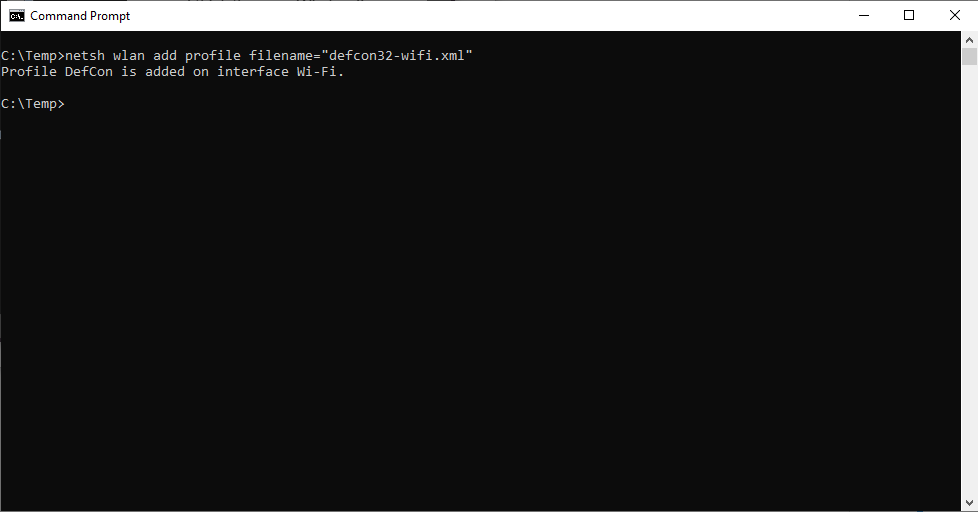
Your computer will automatically connect to the DEF CON Secure Wireless Network.
When prompted, enter the username and password you created through the Registration process.
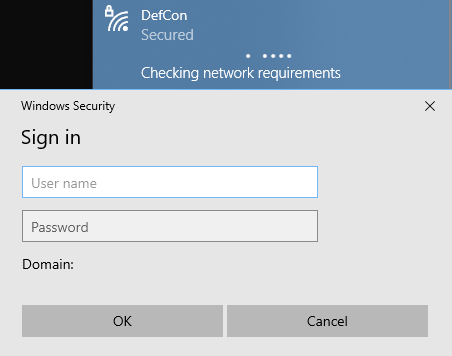
And now you are done! Enjoy! Have fun!
© 1992- DEF CON Communications, Inc.
All Rights Reserved | DEF CON Policies